Building a Lightweight WWW Browser on VxWorks Embedded Systems
As embedded devices become increasingly connected, users expect the same intuitive interfaces found on desktop and mobile platforms. Web technologies offer a compelling solution, providing platform-independent access to system information, configuration interfaces, and remote control capabilities.
However, developing a browser for embedded systems presents unique challenges. Limited memory, constrained processing power, real-time requirements, and compact storage footprints make conventional browser architectures unsuitable.
This article explores the design and implementation of a lightweight WWW browser built specifically for VxWorks-based embedded systems. By combining VxWorks networking capabilities, ARM processor architecture, Socket programming, multithreading techniques, and WindML graphics, the project demonstrates that practical web browsing functionality can be achieved within extremely tight resource constraints.
🌐 Why Embedded Systems Need Web Browsers #
The rapid growth of embedded computing has expanded the demand for user-friendly interfaces across industries such as:
- Industrial automation
- Telecommunications
- Defense systems
- Medical devices
- Consumer electronics
- Transportation systems
Web technologies provide several advantages for embedded platforms:
- Platform-independent interfaces
- Remote accessibility
- Simplified device management
- Reduced deployment complexity
- Familiar user experience
While commercial embedded browsers already exist, including solutions for Windows CE, Linux, and VxWorks, many embedded applications require highly customized implementations optimized for specific hardware and operational requirements.
The goal of this project was to develop a browser that could deliver practical functionality while maintaining a minimal software footprint.
⚙️ Embedded Operating System Requirements #
Unlike desktop environments, embedded systems operate under strict resource limitations.
Typical constraints include:
- Limited RAM
- Reduced CPU performance
- Restricted storage capacity
- Deterministic timing requirements
- Low power consumption
These limitations favor lightweight operating systems built around compact kernel architectures.
Why VxWorks? #
VxWorks is widely adopted in embedded environments because it offers:
- Deterministic real-time performance
- Priority-based preemptive scheduling
- Fast interrupt response
- Efficient memory management
- Mature networking capabilities
- Small runtime footprint
These characteristics make VxWorks particularly suitable for applications that combine networking, graphical interfaces, and real-time processing.
🔧 ARM-Based Embedded Hardware Platform #
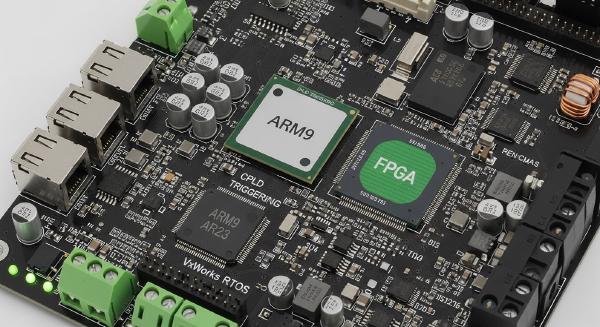
The browser was designed for ARM-based embedded systems.
ARM processors have become dominant in embedded computing due to their:
- High performance-per-watt efficiency
- Compact instruction set architecture
- Scalable performance profiles
- Broad ecosystem support
Developing software for ARM platforms requires attention to:
- Interrupt handling mechanisms
- Memory architecture
- Peripheral interfaces
- Serial communication subsystems
These hardware considerations directly influence browser performance and responsiveness.
🌍 Browser Networking Architecture #
The browser follows the traditional Client-Server model used by modern web applications.
HTTP Communication #
Communication between the browser and web servers relies on the HyperText Transfer Protocol (HTTP).
The browser can interact with:
- Remote web servers
- Embedded web servers
- Local device-hosted content
This architecture enables several practical embedded use cases:
- Remote device monitoring
- Configuration management
- Status visualization
- Operational control
- Diagnostics and maintenance
Embedded devices can also generate dynamic pages that reflect real-time system conditions, allowing operators to interact with hardware through standard web interfaces.
🏗️ Core Browser Architecture #
The browser was designed around three primary functional components.
Controller #
The controller serves as the central coordination module.
Its responsibilities include:
- Processing keyboard input
- Handling mouse events
- Managing navigation operations
- Coordinating rendering activities
- Dispatching actions to subsystems
The controller acts as the browser’s command center.
Content Interpreters #
Interpreters process and decode various content formats.
The primary focus of this implementation is HTML parsing and rendering.
Responsibilities include:
- HTML interpretation
- Content tokenization
- Document structure analysis
- Layout preparation
Additional content formats could be added through future extensions.
Network Clients #
The client subsystem manages communication with web servers.
Functions include:
- HTTP request generation
- Socket management
- Data reception
- Connection handling
- Resource retrieval
Separating networking from rendering improves modularity and maintainability.
🛠️ Development Environment with Tornado and VxSim #
Developing embedded software often requires specialized hardware, making testing and debugging difficult.
To address this challenge, the project utilized Tornado II and VxSim.
Tornado Integrated Development Environment #
Tornado provides a complete cross-development platform including:
- Source code editing
- Compilation tools
- Debugging facilities
- Target management
- Performance analysis
This environment significantly simplifies embedded software development.
VxSim Simulator #
One of the most valuable tools in the project was VxSim.
VxSim provides a software simulation of the VxWorks runtime environment, enabling developers to:
- Build applications without target hardware
- Test multitasking behavior
- Validate inter-task communication
- Debug networking functionality
- Verify synchronization mechanisms
Only hardware-specific BSP functionality remains outside the simulator’s scope.
This capability substantially reduces development costs and accelerates iteration cycles.
📖 Efficient HTML Lexical Analysis #
The browser begins processing web content through lexical analysis.
Responsibilities of the Lexer #
The lexical analyzer performs several critical tasks:
- Extracting text content
- Identifying HTML elements
- Capturing layout information
- Gathering page statistics
- Supporting content editing
- Saving modified documents
Efficiency was a primary design objective because parsing overhead directly impacts browser responsiveness.
Error Tolerance #
Web content is often imperfect.
The lexer was designed to tolerate malformed input while continuing processing whenever possible, improving overall robustness.
🔍 High-Performance Parsing Through Segmented Processing #
Traditional browser architectures often process entire documents before rendering begins.
Such approaches are inefficient in embedded environments.
Incremental Parsing Strategy #
The browser adopts segmented processing, dividing documents into manageable chunks.
Typical segment size:
- 1024 bytes
Rather than waiting for an entire page to load, the system processes content incrementally.
Benefits include:
- Lower memory consumption
- Faster initial rendering
- Improved responsiveness
- Reduced processing overhead
Testing showed that segmented processing could improve performance by up to 30 times compared to processing entire documents in a single pass.
Boundary Handling #
A key challenge of segmented parsing is preventing HTML elements from being split across chunk boundaries.
To address this issue, a backtracking mechanism ensures that each segment contains complete HTML structures before processing begins.
This guarantees parsing correctness while preserving performance advantages.
📐 Layout Engine Design #
After parsing, the browser generates visual layout information.
The layout engine traverses the token list and determines:
- Positioning
- Formatting
- Text flow
- Display attributes
A simplified implementation appears below:
pTokenList = global_cx->tokenList;

while (pTokenList != NULL)
{
    switch (pTokenList->token->type)
    {
        case HTML_TITLE:
            /* Process page title */
            break;

        case HTML_TEXT:
            /* Process text content */
            break;

        default:
            break;
    }

    pTokenList = pTokenList->next;
}
This integrated parsing and layout approach minimizes memory overhead while maintaining acceptable rendering performance.
🖼️ Graphical Rendering with WindML #
Graphical rendering is one of the most resource-intensive components of any browser.
To support embedded graphics efficiently, the project utilizes WindML (Wind River Media Library).
WindML Capabilities #
WindML provides:
- 2D graphics rendering
- Video support
- Audio support
- Keyboard handling
- Mouse handling
- Display management
These capabilities form the foundation of the browser’s graphical subsystem.
User Interface Components #
The browser interface includes standard GUI elements such as:
- Main windows
- Menus
- Toolbars
- Scrollbars
- Status indicators
In addition, custom rendering components display parsed HTML content inside the browsing area.
This approach delivers flexibility while minimizing runtime overhead.
📊 Performance Results #
The browser was extensively tested within the VxSim simulation environment running on a standard PC.
Functional Performance #
Testing demonstrated:
- Successful HTTP communication
- Reliable HTML parsing
- Stable rendering performance
- Practical usability for simple web content
For lightweight pages, the browser delivered results comparable to contemporary embedded browsers.
Resource Consumption #
One of the most impressive outcomes was the compact implementation size.
| Metric | Result |
|---|---|
| Source Code Size | ~2,100 lines |
| Memory Footprint | ~2.9 MB |
| Platform | VxWorks + ARM |
| Development Environment | Tornado + VxSim |
These figures align closely with the requirements of resource-constrained embedded platforms.
Current Limitations #
While effective for basic content, the browser still lacks support for many advanced web technologies.
Areas requiring further development include:
- Rich multimedia content
- Animation rendering
- CSS support
- JavaScript execution
- Advanced HTML features
These capabilities would require additional optimization and architectural enhancements.
🚀 Design Advantages #
Several architectural decisions contributed to the success of the implementation.
Lightweight Architecture #
The browser maintains a small footprint while preserving essential functionality.
Modular Design #
Independent subsystems simplify maintenance and future expansion.
Platform Portability #
The implementation is written in standard C, making it adaptable to:
- Other VxWorks platforms
- Windows environments
- Alternative embedded operating systems
Real-Time Compatibility #
The architecture respects the deterministic requirements of real-time systems and integrates naturally with VxWorks scheduling mechanisms.
🎯 Conclusion #
The successful implementation of a lightweight WWW browser on VxWorks demonstrates that practical web technologies can be deployed effectively within embedded environments. By combining efficient HTML processing, segmented parsing, multithreaded communication, and WindML-based rendering, the project achieves an impressive balance between functionality and resource efficiency.
With only approximately 2,100 lines of code and a memory footprint of roughly 2.9 MB, the browser satisfies many of the fundamental requirements of embedded software design: compact size, predictable performance, and low resource consumption.
Although advanced web technologies remain future work, the project establishes a solid architectural foundation for embedded browser development. More importantly, it highlights the strengths of VxWorks, Tornado, and ARM-based platforms in delivering sophisticated networking and graphical applications within constrained real-time environments.