Integrating Legacy Builds with VxWorks 7 Subprojects
Modern embedded systems often combine vendor-provided RTOS infrastructure with large existing middleware, driver, and application codebases developed independently over many years. In practice, many of these software stacks rely on custom GNU Make environments, proprietary build systems, or platform-agnostic compilation frameworks that predate modern VxWorks tooling.
Integrating these existing build environments into the VxWorks 7 ecosystem can be challenging, particularly when preserving portability across multiple target boards and CPU architectures.
One effective approach is the use of VxWorks 7 subprojects, a lesser-known but powerful feature within the VxWorks layer and package management system. Subprojects allow teams to integrate large external software trees into VxWorks builds without fully restructuring the original source organization.
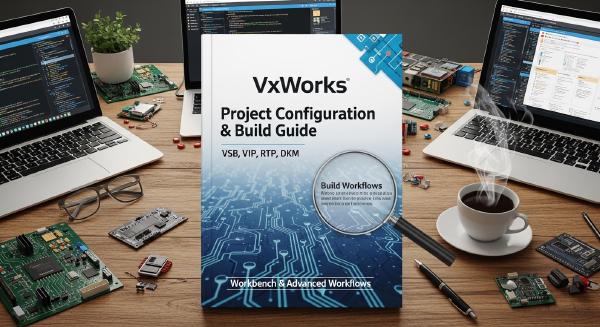
This article explores how VxWorks 7 layers, packages, VSB/VIP projects, and subprojects work together to support scalable embedded software integration.
⚙️ Understanding the VxWorks 7 Build Architecture #
VxWorks 7 uses a modular operating system architecture composed of discrete components, libraries, and packages.
The build process revolves around two major project types:
- VxWorks Source Build (VSB)
- VxWorks Image Project (VIP)
VxWorks Source Build (VSB) #
The VSB project compiles operating system components and libraries into reusable binary artifacts.
Responsibilities include:
- Building kernel libraries
- Compiling middleware
- Managing package dependencies
- Generating reusable OS components
The VSB acts as the foundational operating system build layer.
VxWorks Image Project (VIP) #
The VIP consumes the VSB outputs and generates the final bootable kernel image for a specific hardware target.
Responsibilities include:
- Board-specific configuration
- Kernel image generation
- Component selection
- BSP integration
- Final image linking
This separation allows developers to reuse a single VSB across multiple target configurations.
🧩 VxWorks Application Project Types #
Wind River Workbench also supports application development projects layered on top of the operating system.
The two primary application models are:
Downloadable Kernel Modules (DKMs) #
DKMs execute inside kernel address space.
Characteristics include:
- Shared kernel memory access
- High performance
- Minimal isolation
- Direct kernel integration
DKMs are commonly used for:
- Device drivers
- Performance-critical services
- Low-level middleware
Real-Time Processes (RTPs) #
RTPs execute in isolated user-space environments.
Characteristics include:
- Process isolation
- Memory protection
- Independent address spaces
- Improved fault containment
RTPs are typically preferred for:
- User applications
- Network services
- Higher-level middleware
- Safer modular deployments
These project types work well for software designed specifically around the Workbench ecosystem. However, legacy or cross-platform software often requires a different integration strategy.
📦 VxWorks 7 Package and Layer Management #
One of the major architectural improvements introduced in VxWorks 7 was the RPM-based package management system.
The system borrows concepts from enterprise Linux distributions while adapting them for embedded real-time systems.
Key capabilities include:
- Strict package versioning
- Dependency management
- Modular OS composition
- Layer-based architecture
- Simplified updates and maintenance
Each software module is distributed as an RPM package containing:
- Source code
- Metadata
- Dependency definitions
- Layer configuration
Each package defines a VxWorks layer that becomes part of the VSB build process.
This modular architecture significantly reduces dependency management complexity compared to older monolithic RTOS workflows.
🔧 The Challenge of Legacy Build Systems #
Many embedded software teams maintain substantial codebases built around custom Make systems or proprietary build frameworks.
These environments often include:
- Portable middleware
- Shared cross-platform libraries
- Existing CI/CD pipelines
- Vendor-independent build rules
- Multi-target compilation logic
Migrating these codebases directly into standard Workbench project structures is frequently impractical.
Traditional integration approaches include:
Converting Software into Native VxWorks Layers #
This approach builds the software directly into VSB-managed libraries.
Advantages:
- Full integration
- Standardized dependency handling
- Native Workbench compatibility
Disadvantages:
- Requires significant restructuring
- Large migration effort
- Complex refactoring
Using DKM Projects #
This produces partially linked kernel modules integrated during VIP builds.
Advantages:
- Kernel-level execution
- Flexible deployment
Disadvantages:
- Requires adaptation to Workbench project structures
- Limited portability from existing build systems
Using RTP Projects #
This produces standalone ELF binaries loaded during runtime.
Advantages:
- Process isolation
- Cleaner modularity
Disadvantages:
- Still requires Workbench-oriented project organization
For large legacy environments, all three approaches may involve excessive disruption.
🏗️ VxWorks 7 Subprojects #
VxWorks 7 subprojects provide an alternative integration strategy designed specifically for external software trees.
A subproject allows existing software to remain largely unchanged while still integrating into the VxWorks build pipeline.
Subprojects provide several important characteristics:
- Defined as VxWorks layers
- Integrated into VIP builds
- Compatible with existing Makefiles
- Support dependency metadata
- Enable board-specific configuration integration
This makes subprojects particularly useful for:
- Third-party middleware
- Legacy drivers
- Shared cross-platform libraries
- Existing GNU Make build systems
🚀 How Subprojects Work #
The subproject mechanism effectively bridges the gap between external build systems and VxWorks layer management.
The workflow typically looks like this:
- Define a VxWorks layer
- Register package metadata
- Define component dependencies
- Import the external software tree
- Invoke the original Makefiles during VIP builds
Unlike standard Workbench projects, the source tree itself does not need to be reorganized into VxWorks-native structures.
This provides several operational advantages.
Existing Software Organization Remains Intact #
Teams can preserve:
- Directory layouts
- Build scripts
- Internal tooling
- Existing automation
without major restructuring.
Native Makefiles Continue to Build the Software #
The original build logic remains authoritative.
This is especially important for mature embedded codebases that already support:
- Multiple architectures
- Multiple RTOS platforms
- Cross-compilation toolchains
- Vendor-specific optimizations
Board-Specific Assets Can Be Included #
Subprojects are copied into the VIP project space, allowing direct integration of:
- Board configuration files
- BSP-specific settings
- Device initialization assets
- Platform-dependent resources
🛠️ Additional Work Still Required #
Although subprojects simplify integration, they do not eliminate the work required to adapt software for VxWorks 7.
Developers must still:
- Create VxWorks layer definitions
- Ensure compatibility with the VxWorks compiler toolchain
- Define Component Definition Files (CDFs)
- Implement VxWorks configlettes
- Handle initialization sequencing
Component Definition Files (CDFs) #
CDFs define:
- Available software modules
- Dependencies
- Kernel integration options
- Initialization order
These definitions allow components to be selected inside the VIP configuration process.
Configlettes #
Configlettes are initialization routines executed during system startup.
They are responsible for:
- Driver initialization
- Middleware startup
- Service registration
- Runtime configuration
Even when preserving external Make systems, VxWorks runtime integration still requires these platform-native mechanisms.
🧪 Debugging Challenges #
One downside of the subproject mechanism is build complexity.
The VxWorks build system contains:
- Multiple generated make layers
- Package dependency resolution
- Dynamic build rules
- Layer integration logic
As a result, debugging subproject integration issues can become difficult.
Common challenges include:
- Build ordering issues
- Missing layer dependencies
- Symbol visibility problems
- CDF configuration errors
- Toolchain incompatibilities
The internal build rules controlling subprojects are also sparsely documented compared to standard Workbench workflows.
For large integrations, understanding the underlying VSB/VIP build mechanics becomes essential.
📈 When to Use VxWorks Subprojects #
Subprojects are particularly valuable when:
- Large legacy codebases already exist
- Existing Make-based workflows must be preserved
- Multi-platform portability is important
- Extensive source reorganization is undesirable
- Teams rely on external build automation
However, for greenfield development or smaller projects, the standard VxWorks development model often remains the cleaner long-term solution.
Native Workbench integration generally provides:
- Simpler debugging
- Better tooling support
- Cleaner dependency handling
- Easier maintenance
Subprojects are best viewed as an integration strategy rather than a replacement for standard VxWorks application models.
🧠 Modern Embedded Software Integration #
Modern embedded platforms increasingly combine:
- RTOS infrastructure
- Vendor middleware
- Open-source frameworks
- AI and edge workloads
- Multi-platform software stacks
As these systems grow in complexity, preserving existing build environments while integrating into modern RTOS ecosystems becomes increasingly important.
VxWorks 7 subprojects provide a practical mechanism for bridging legacy embedded software architectures with contemporary layer-based RTOS development workflows.
For organizations maintaining large cross-platform embedded codebases, this flexibility can significantly reduce migration cost while preserving long-established engineering processes.
📚 References #
- VxWorks 7 Layers and Package Management Guide
- Wind River Workbench Documentation
- VxWorks Source Build (VSB) Documentation
- VxWorks Image Project (VIP) Documentation
- Wind River Component Definition File (CDF) Reference